How to Safely Dispose of a Broken Computer in 2025?
Improper disposal of electronic waste (e-waste) leads to toxic chemical leaks, privacy breaches, and even identity theft. Fortunately, there are safe, environmentally responsible, and data-secure ways to say goodbye to your old machine.
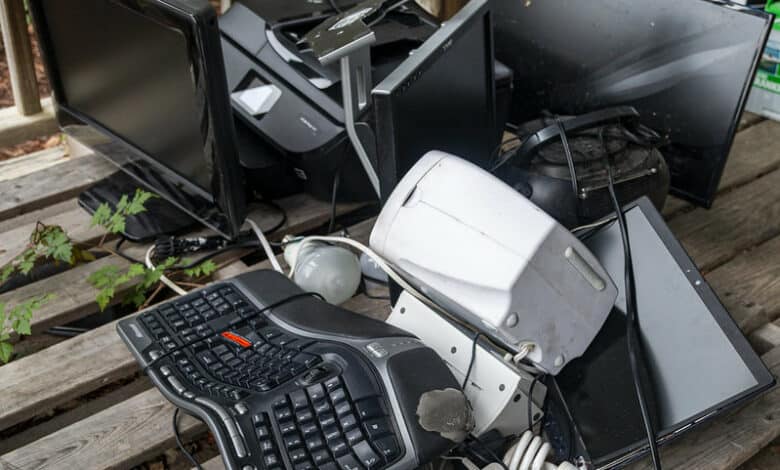
5 Safe Ways to Dispose of a Broken Computer
1. Use a Certified E-Waste Recycler
Certified e-waste recyclers ensure that your old computer is dismantled properly and hazardous components are managed responsibly. Look for recyclers certified under R2 (Responsible Recycling) or e-Stewards programs in 2025.
How Long Do I Have to Wait Between Sperm Donations in 2025?>>>>>>>>>>>
2. Return to Manufacturer Take-Back Programs
Many manufacturers like Dell, HP, and Apple now offer take-back programs for old devices. These companies often recycle or refurbish the machines in line with eco-friendly practices.
3. Donate to E-Waste Nonprofits
Even broken computers can be salvaged for parts. Nonprofits such as Computers with Causes or Human-I-T accept non-functional devices, reuse working components, and help underserved communities with rebuilt machines.
Do Edibles or Vaping Weed Affect Donation in 2025?>>>>>>>>>>>>>>>>
4. Use Local Electronic Waste Drives
Many communities host electronics recycling events. These are often organized by local governments, waste companies, or environmental groups, making it easy and free to dispose of your old PC safely.
5. Trade-In at Retailers
Major electronic retailers like Best Buy or Staples accept broken computers for store credit or responsible recycling. In 2025, some retailers even offer door-to-door pick-up services for added convenience.
How Much Do Egg Donors Get Paid in 2025?>>>>>>>>>>>>>>>>>
7 Tips for Securely Getting Rid of Your Old PC
1. Back Up Your Data
Before doing anything, back up your files to an external drive or cloud storage. Even a broken computer might allow data transfer in Safe Mode or via disk access tools.
2. Wipe Your Hard Drive
Use secure erase software like DBAN or Eraser to completely remove all data. Simply deleting files isn't enough. In 2025, many tools also come with AI-powered scans to ensure no fragments are left behind.
3. Remove the Hard Drive
If you're unable to boot the system, physically remove the hard drive and keep it or destroy it separately. You can also reuse it as an external drive with an inexpensive USB enclosure.
4. Use Encryption Before Disposal
If wiping the data isn’t possible due to hardware damage, use full-disk encryption tools before it dies completely. This adds a layer of protection, even if someone tries to extract data later.
5. Uninstall Software Licenses
Make sure to deactivate any licensed software or subscriptions (like Adobe or Microsoft Office) linked to your hardware. This allows you to reuse them on a new device.
6. Remove All Connected Accounts
Sign out from Google, Microsoft, Apple, and other accounts to prevent unauthorized access. Some services like iCloud may keep activation locks if not removed properly.
7. Reset to Factory Settings (if possible)
If the computer still works partially, reset it to factory settings. This erases all personal settings and reinstalls the OS, preparing it for disposal or donation.
6 Steps to Safely Recycle Your Non-Functional Computer
Step 1: Evaluate the Condition
Determine what parts are broken. A dead battery or cracked screen doesn’t mean the whole system is useless. Components like RAM, SSDs, or motherboards may still be valuable.
Step 2: Identify Hazardous Materials
Batteries, LCD screens, and circuit boards contain toxic elements like lead and mercury. These require specialized disposal—never toss them in regular trash.
Step 3: Remove Personal Components
Take out any drives or removable cards. Even an old graphics card can be reused or sold separately.
Step 4: Label and Package Components
Use antistatic bags or padded containers to store removed parts. Label them clearly to avoid mix-ups during recycling or donation.
Step 5: Find a Licensed Recycler
Locate a local R2- or e-Stewards-certified recycling center using directories like Earth911 or local municipal websites.
Step 6: Follow Up
Once you’ve recycled, request a certificate of recycling or destruction, especially if sensitive data was involved.
8 Methods to Dispose of a Computer Without Data Risks
1. Use Data Destruction Services
Professional companies now offer certified data destruction, including on-site shredding of hard drives. These services are ideal for businesses or individuals with sensitive information.
2. Physically Destroy the Hard Drive
Use a hammer, drill, or shredder to destroy the hard disk platters. In 2025, small personal shredders are affordable and efficient for home use.
3. Degauss the Drive
Degaussing involves using a strong magnetic field to disrupt data patterns. This method is fast but renders the drive unusable afterward.
4. Secure Erase Tools
Tools like BitRaser or Blancco provide verified, industry-compliant data wipe solutions and certificates.
5. Encrypt, Then Wipe
Encrypt your drive with a long, random key before wiping it. This double layer makes data recovery nearly impossible.
6. Use Cloud Sync and Format
If your PC still functions, sync data to the cloud, then use secure erase and OS formatting tools.
7. Third-Party Disposal Apps
Apps like KillDisk or WipeDrive can now be run from USB even if the OS is unbootable, helping destroy data without launching the old system.
8. Use Professional IT Asset Disposal (ITAD) Providers
These firms not only destroy data but also recycle or resell hardware responsibly, with full traceability.
4 Best Practices for Disposing of a Dead Computer
1. Never Throw It in the Trash
E-waste in landfills leaks dangerous chemicals that damage ecosystems. Computers contain lead, cadmium, and flame retardants—never put them in the regular bin.
2. Always Remove Storage Devices
Hard drives, SSDs, and USB drives must be removed or wiped before disposal. Even deleted files can be recovered if not properly handled.
3. Choose Verified Channels
Only trust certified recyclers, donation centers, or retailer trade-in programs. Unauthorized collectors may ship e-waste to developing countries, worsening global pollution.
4. Keep Documentation
Maintain a receipt, certificate of destruction, or record of disposal. This protects you legally and ensures your data isn’t misused.
Conclusion
Disposing of a broken computer in 2025 is more than just a matter of tossing it out—it's a commitment to environmental responsibility, data protection, and ethical recycling.
Whether you're an individual user, a business, or a nonprofit, there are reliable, secure, and eco-friendly methods to get rid of your old tech. From certified recyclers and manufacturer take-backs to advanced data destruction techniques, the options today are safer and smarter than ever before.
Make sure your next computer disposal leaves no trace behind—digitally or environmentally.
FAQs
1. Can I throw a broken computer in the regular trash?
No. Computers contain hazardous materials like mercury, lead, and cadmium that should never end up in landfills.
2. How do I remove personal data if the computer won’t turn on?
You can remove the hard drive and wipe it using another device or destroy it physically for complete data protection.
3. Where can I find certified e-waste recyclers in 2025?
Use directories like Earth911 or search for R2/e-Stewards certified recyclers in your local area.
4. Are manufacturer recycling programs free?
Many are free or offer incentives like store credit or discounts on new purchases. Always check the terms on the brand’s website.
5. Is it worth donating a non-working computer?
Yes, many parts can be salvaged or repaired by nonprofits that help communities in need. Always check with the organization first.


Comments
Post a Comment